Ordering by telephone
If you are unable to place an order online, you can place an order by telephone.
Mon–Fri 7am–5pm
030 6363 733
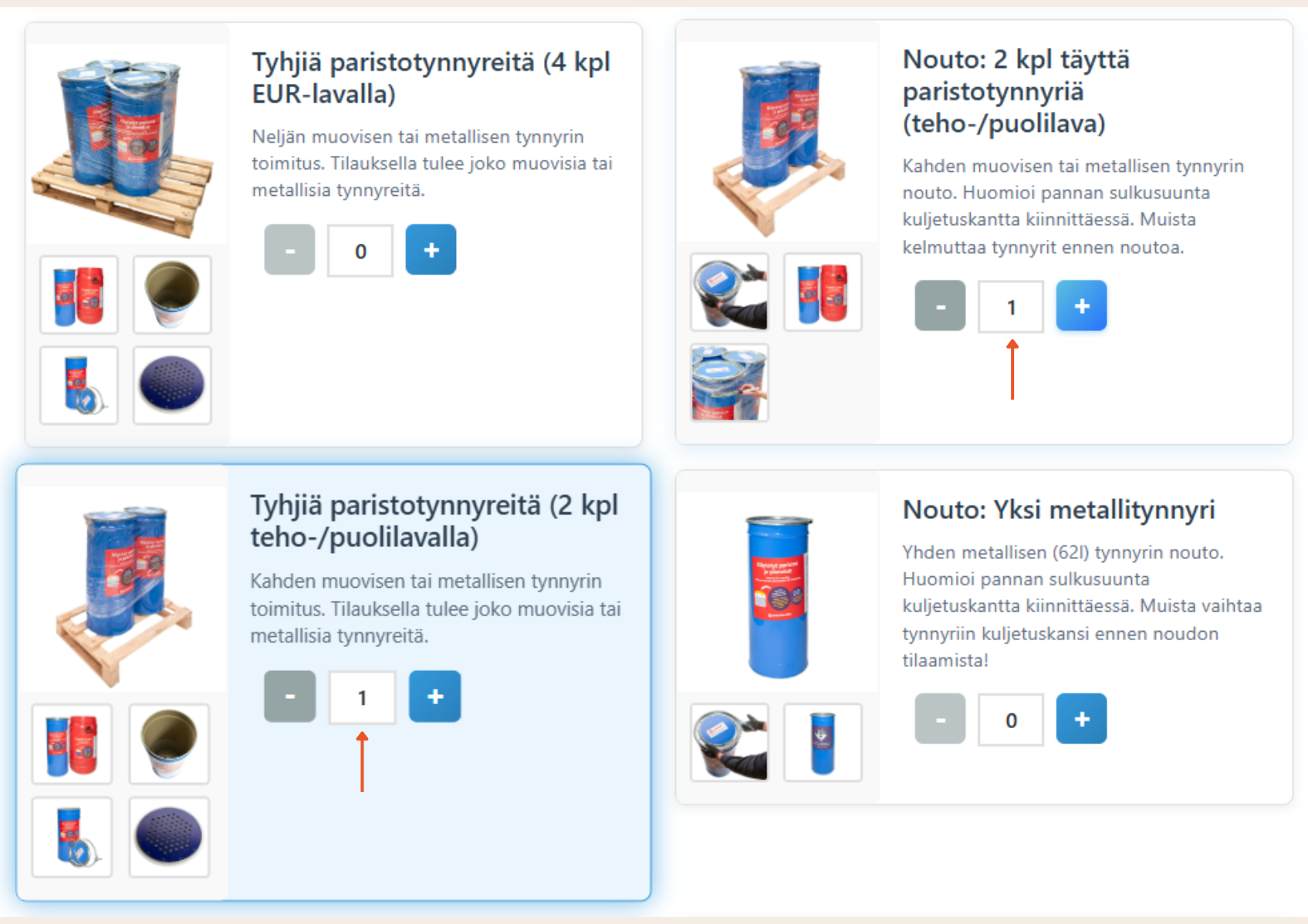
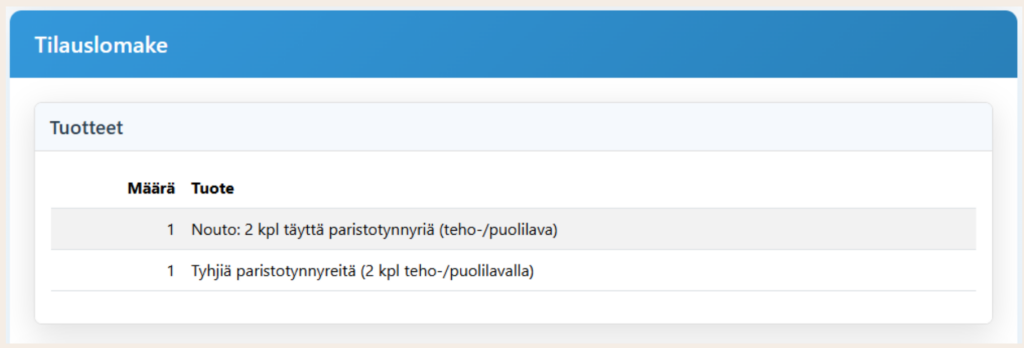
Whether you need an empty container or a full collection, all orders are placed via the same ordering system.
To the ordering systemYou log in to the ordering system using your ID number. If you’ve forgotten it, ask our chatbot. If the bot can’t find your number, please re-register as a collection point.
New collection point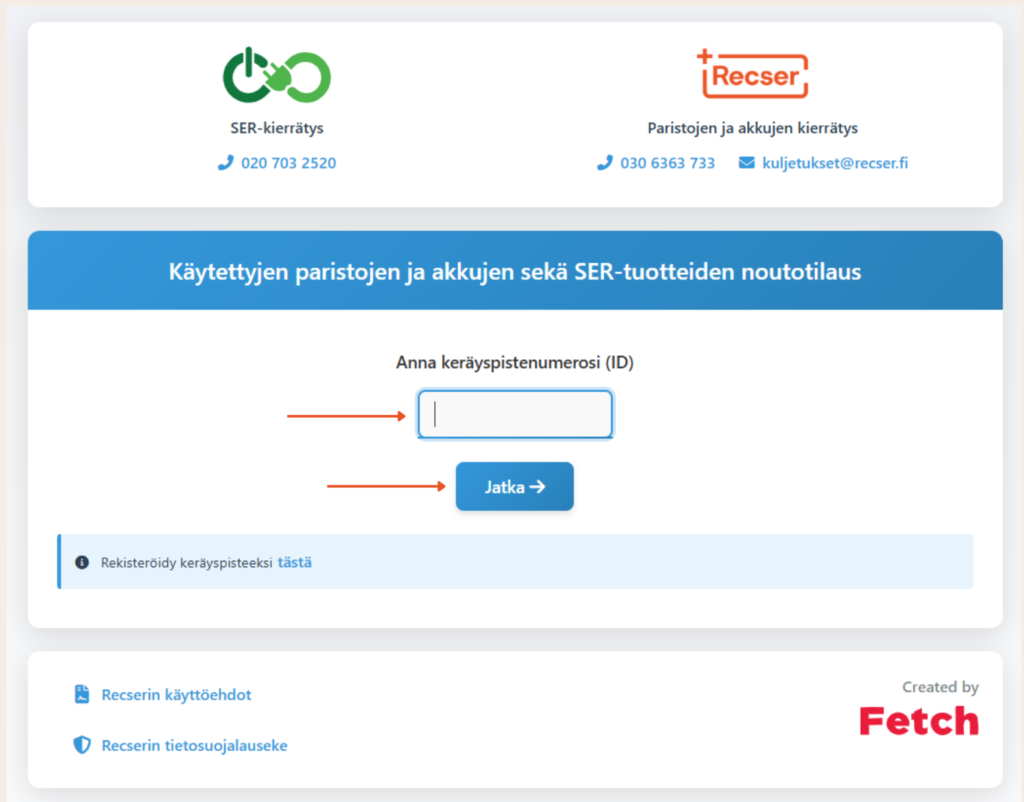
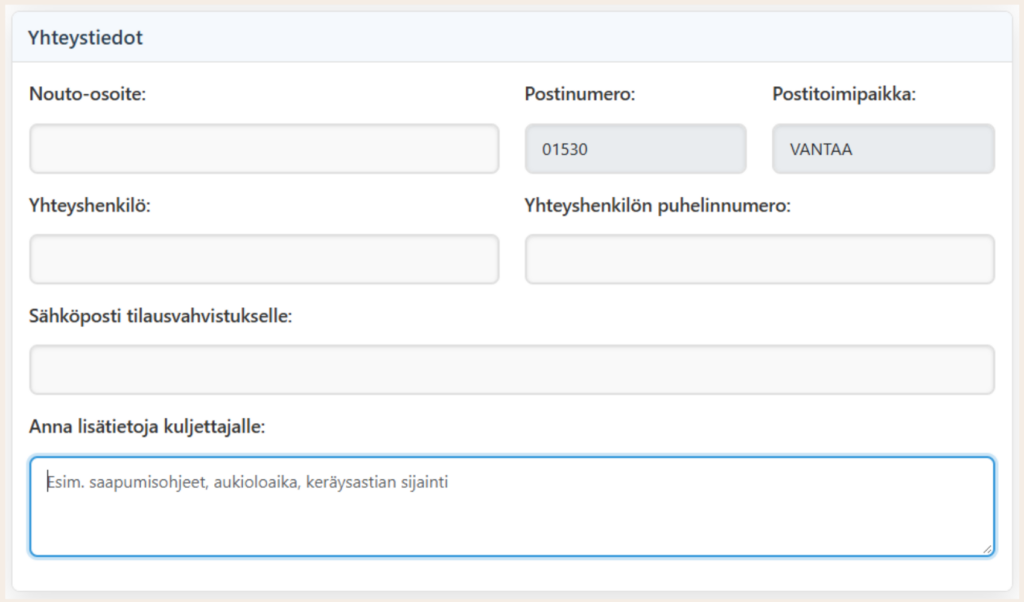
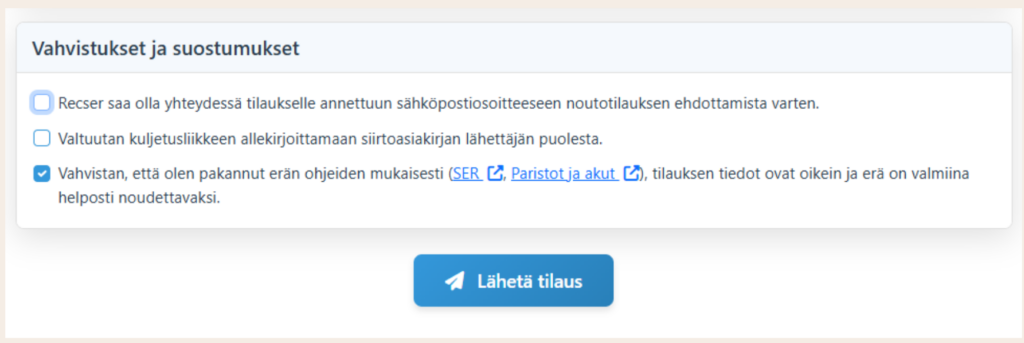
“Recser may contact the email address provided for the order to propose a collection order.”
When a collection order is placed near your branch, our predictive algorithm simultaneously checks other collection points in the area. If, based on the calculation, your collection point’s container may be full, we will send you an email asking you to place a collection order if the container is ready for collection. This allows us to collect from several collection bins in the surrounding area during the same transport run, which speeds up collections and reduces transport-related environmental emissions.
“I authorise the transport company to sign the consignment note on behalf of the sender.”
The driver may collect the consignment without a signature from the collection point.
“I confirm that I have packed the consignment in accordance with the instructions (SER, Batteries), that the order details are correct and that the consignment is ready for easy collection.”
You have checked the consignment to be collected in accordance with the instructions.
You will receive an order confirmation by email. If you have not received the order confirmation, you can check your most recent order in the ordering system. If the order you placed does not appear in the ordering system either, the order has not been received. In this case, please place a new order. If the problem persists, please contact kuljetukset@recser.fi.
Transport documents will be sent by email after the shipment has taken place.
The collection point does not need to print out transfer documents or parcel labels.
Delivery will take place within 9 days of the order being placed.
If your collection has not arrived within 9 days of placing your order, please check the following:
If the order does not appear, it has not been processed by the system and you will need to place a new order.
If the order appears in the system and more than 9 days have passed since the collection date, please submit a complaint to us. You can do this using the form at the bottom of the page.

If you are unable to place an order online, you can place an order by telephone.
Mon–Fri 7am–5pm
030 6363 733
Please let us know using the feedback form.